Most posts have video which may require a computer to see.

Friday, February 25, 2011

Kindergarten Sewing Cards


Sewing cards are a nice safe way for kids to understand the downward and upward movements needed later when I bring out real needles and thread. I cut out foam shapes and punched holes to make my own bright colored cards. Note to self: don't. I spent so much time punching holes that with very little effort were torn from the foam sheets. That was frustrating. Chip board was too heavy to punch, so this was my only solution at the time. I spent a lot on those big colored buttons but we used them for sorting too. (See Animoto below)

Thursday, February 17, 2011

Familia


Students in kindergarten looked at the Virtual Manikin interactive website so they could see just how long their arms are and how we don't always stand completely still. Developmentally, this was just an introduction to the concept and not expected to find its way into their drawings until later. Students were encouraged to include as many details as possible. (See video below)

Starry Nights

Students in Mr. Ortega's 1st and 2nd grade have been learning a little bit about Vincent Van Gogh and today they finished working on their own Starry Night drawings. (See Animoto below)

Saturday, February 12, 2011

Math & Art: It adds up to fun!


Students in Kindergarten used clay to create 2D shapes as part of their math curriculum, and the 1st and 2nd graders used Tux Paint stamps to create 10 sets of 10 in order to celebrate the 100th day of the school year. (See video below)


Wednesday, February 2, 2011

Kindergarten Lizards


Kindergartners used oil pastels to create lizard designs. Many of the students are in the pre-schematic level and the lizard fits into the tadpole schema fairly well.


Friday, January 28, 2011

Tissue Paper ala Keith Haring


Students in 1st and 2nd grades looked at a few of Keith Haring's stick figures and drew a stick figure in white pencil on black construction paper. They used tissue squares wrapped around the bottom of pencils and glued them to their stick figure drawing. After the initial application of tissue, students chose a second color to outline the figure.


Friday, January 14, 2011

Andy Warhol Revisited - Jr. High Digital Graphics


7th and 8th graders in my Digital Graphics class visited the Andy Warhol Interactive website in order to explore variations in hue and saturation which were our two most recent vocabulary words. After getting a sense of what could be done using Marilyn Monroe as a subject, students learned how to resize and duplicate layers in Gimp and then explore the Hue/Saturation feature to recolorize their school pictures. A few who finished early got to do the same thing for a cartoon character. These students are learning many of the tools and features of Gimp in doing this project. (See Prezi below)

Sunday, January 9, 2011

5th & 6th Gr. 1 Pt. Perspective

Teaching one point perspective is always fun and doing names gives the students a way to do what young teens do anyway, focus on themselves. They learn precision, logic, measuring and craftsmanship along the way and end up with a very nice graphic piece. (See video below)

Let's Make Some Bling; a Gimp Tutorial

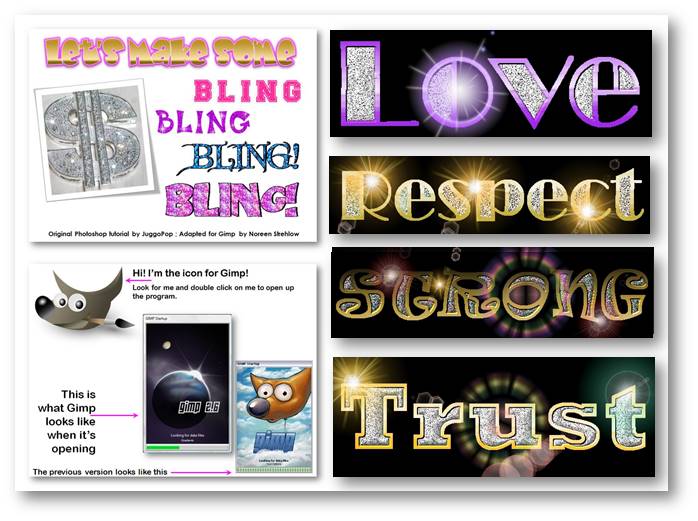
Although we couldn't afford Photoshop, I felt that students needed to learn digital graphic skills so I adapted a fun project using the open source program Gimp. I had done this with Ginger Baron's students at Lowell School and ACE students at Prep, so I knew it was a successful activity. By the time it was finished, kids knew a lot about graphic tools. (See video below)


Saturday, January 8, 2011

Digital Art Elective: Web 2.0 - Wordles


Classes switched after our break and a new batch of students just started my first hour Digital Art/Yearbook class. Web 2.0 tools figure into graphic design work so we spent a little time exploring the Wordle link on my Portaportal. Objectives included 1) Listing favorites using WORD; copy & paste text into WORDLE 2) Exploring fonts 3) Exploring the layouts and 4) Using the edit custom palette feature. (See video below)