

Showing posts with label Gimp. Show all posts
Showing posts with label Gimp. Show all posts
Tuesday, March 27, 2012

Saturday, February 18, 2012
Digital Color Theory

My color theory class not only had to learn how to mix tints, shades, secondary and intermediate colors using only primary colors, black and white, but they also had to transfer that knowledge to digital media. In the process they learned how to use Gimp layers, save to several formats, colorize using hue, saturation, and lightness sliders, and the rotation tool. (See Animoto below)
Friday, June 10, 2011
Friday, April 22, 2011
Jr. High Autobiographical Self Portraits

Students in the digital art class created layered self portraits using a photo cutout of themselves on a transparent background. Subsequent layers were a famous work of art and then four layers depicting special interests. Here are the first ones completed.

Sunday, April 3, 2011
Jr. High Color Wheel Portraits using Gimp

I love doing this project so all my digital art students do it. It teaches so many digital skills and tools that by the time they are done, they can do many projects using Gimp. If they are lucky enough to have access to Photoshop in the future, they are able to make the transition without any teaching. (See Animoto below)
Friday, January 14, 2011
Andy Warhol Revisited - Jr. High Digital Graphics

Sunday, January 9, 2011
Let's Make Some Bling; a Gimp Tutorial
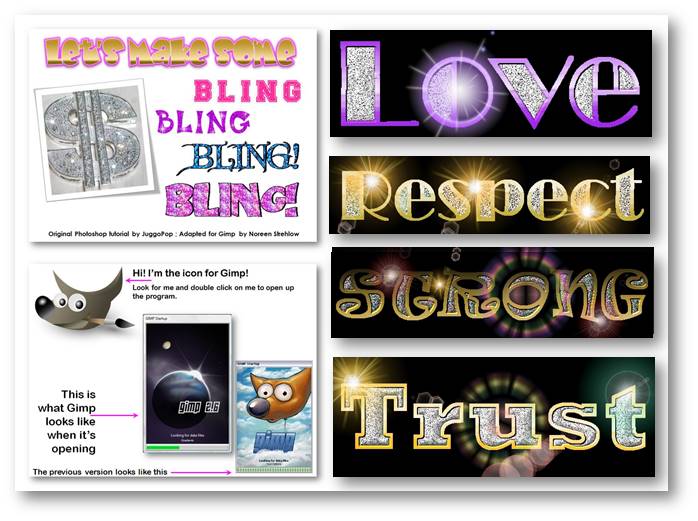
Although we couldn't afford Photoshop, I felt that students needed to learn digital graphic skills so I adapted a fun project using the open source program Gimp. I had done this with Ginger Baron's students at Lowell School and ACE students at Prep, so I knew it was a successful activity. By the time it was finished, kids knew a lot about graphic tools. (See video below)
Subscribe to:
Posts (Atom)